I just realized I posted my first Butterfly Mind entry two years ago today. We lived in Minnesota at the time and I was supposed to be packing up the house to prepare for our cross-country move. Instead I started a blog. Since then I’ve published more than 250 posts and am still loving every minute of it. Thank you, readers, for making it so much fun to be here. Here’s that debut entry.
WordCamp. It wasn’t a camp for writers, or even for word nerds. It was a camp for WordPress wonks, and I loved every second. I must have said ten times, “I feel like I’m on this level,” as I swished my hand parallel to the ground, back and forth at my waist, “And all of you are up here,” and I swished my other hand above my head. “But that’s okay,” I’d say, and I’d smile, and I’d mean it.
I was one of only a handful of writers there, one of a handful of bloggers, and instead of intimidating me, being among all those web designers actually made me feel special. At a writers’ retreat there would be so much opportunity for comparison, for reading someone else’s work and thinking I’ll never be that good, that the thought of a writers’ retreat kind of frightens me. But at WordCamp I didn’t compare myself to these people who write, but in a different language: they write in code.
The rooms, full of creatives, hipster beards and mustaches, fun colorful fingernails and patterned blouses, glasses, web designers, plugin writers, theme developers, who all make beautiful, elegant things only with a different medium from mine, they energized me instead of making me feel less than. I never felt stupid despite how much I did not know. Instead I felt awe, an emotion I predict will appear on the list of core values I plan to construct as soon as I finish this free write.
One of the speakers, Alicia Murray, when she spoke about work life blog balance she posted a slide with a quote from Albert Einstein: a fish is going to feel stupid if it tries to climb a tree (or something like that – find quote) –
Everybody is a genius. But if you judge a fish by its ability to climb a tree, it will live its whole life believing that it is stupid.
– and I could totally relate. She was advising us not to compare, which is a very, very difficult thing to do when I’m surrounded by talented writers. But in a room full of talented code poets, I don’t compare myself. I just thank the internet gods that these poets exist so that they can make us beautiful websites on which we can write our words.
The conference, I should say for all the bloggers who follow me, was not a writing event, and it wasn’t a blogging event either. In fact, it was not a WordPress.com event. It was geared more to the nuts and bolts of designing, developing, and using websites powered by WordPress using WordPress.org (there’s a difference between WordPress.org and WordPress.com, in case you didn’t know). As @Ashevillean tweeted
Wordcamp: NOT a writing event. WordPress-friendly conference for tech professionals: developers, designers, content creators, & more #wcavl
I knew that going in, and I loved that aspect of it, but I just wanted to let all of you know that in case you are considering attending a WordCamp. There were content and beginner tracks, but you need to know ahead of time that the language you hear might be unfamiliar. I used to have a self-hosted website for my soap company, a site that was powered by WordPress.org, and so I was familiar with the language many of the speakers used: plugins, FTP, PHP.
And, with your everyday WordPress.com blogger, very little of that applies.
When we had the self-hosted site I felt like half my time was consumed with managing the website: which plugins to use, which ones had glitches, how to resize my images to fit the theme, who to host the site, how to alter colors, fonts, headers. All by hand. All with very little knowledge. And while we had complete control over the look and functionality of our site, it ate a lot of time I could have spent making soap, or better yet, writing. It was a powerful, robust platform for our e-commerce site, but for blogging, I’m thrilled to use the streamlined WordPress.com and know all that is taken care of. I don’t have to sift through 500 “follow” plugins to find the one that works. If something goes wrong with my site I don’t have to disassemble it and reconstruct, piece by piece to find where the problem was. It’s all there for me and all I have to do is pop in my words.
That being said, I like to know how things work, and I learned a ton this weekend about things I can do within my WordPress.com site to tweak and improve if I so choose, and I understand the back end of a website much better now. I feel empowered by that. On top of sitting in on some great content sessions, I took a refresher on basic CSS so if I want to customize colors or fonts, I can. I learned some SEO tips so I can become more findable when folks are searching for creative nonfiction or literature resources. I learned the basic anatomy of a blog-perfect-story, and how to find balance in my life when I add a job to the mix of blog and family.
And the takeaway I am perhaps most excited about: a link to how to determine my personal core values. Those values will provide guidance as I try to navigate my career path, my blog posts, my writing. Because it’s when you’re writing about what you care about that your voice will come through, and when you have a niche-less (i.e. everything) blog like I do, the thing that holds it all together is not a topic or a product or a theme, it’s the author’s voice. The continuity, the It thing in a flitting, butterfly-minded blog, is the voice. And the way to find and use that voice is to write about your passion, the things you value most. Like family; like words; like nature. Like awe.
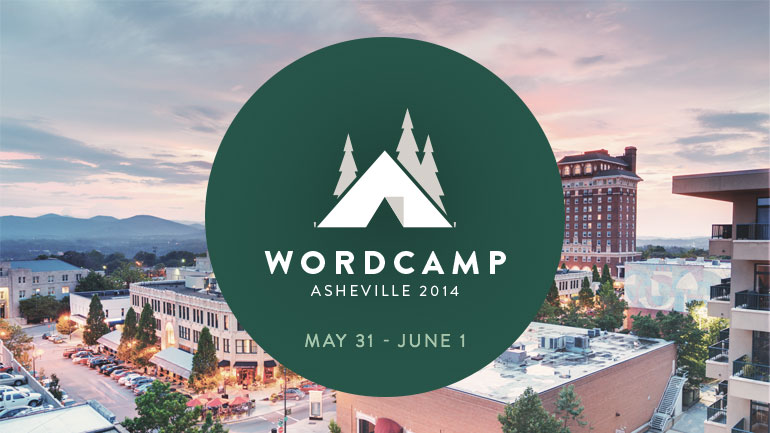
I’m headed down to North Carolina this weekend for two full days of WordPress nerdery: I’m going to WordCamp Asheville. Yeeaahhh!!! I went out today and bought school supplies and was like a kid again picking out my composition book and writing implements. Crisp paper, inky blue pens… My laptop is a dinosaur and if I can’t sit next to an outlet it will die within minutes, so despite the high tech world we will be discussing, I’ll be the cave woman in the corner chiseling my notes on stone tablets.
I’ve spent the week studying the WordCamp Asheville schedule and I have finally nailed down the sessions I plan to attend. I know many of you, dear readers, are fellow bloggers, and I know many of you use the WordPress platform. Take a look at my course schedule below and if you have any questions you would like me to ask of the instructors, please let me know. If time and the instructors permit, I am happy to be your ambassador. (Blurbs in italics and the little icon below courtesy of WordCamp Asheville).
Blast off with Jetpack: Amazing Features powered by WordPress.com, taught by WordPress.com Happiness Engineer Evan Zimmerman: …In this session we’ll give an overview of Jetpack and talk about the difference between WordPress.com and WordPress.org. We’ll dive into popular features such as Stats, Widget Visibility and Contact Forms, and discuss the available Social and Media options…
Photos and Colors and Layouts Oh My!: Resources to Help You Make Good Design, taught by web designer and filmmaker Nancy Thanki: You’ve got your perfect theme picked out! It has this amazing layout that you know will be perfect for presenting you and yours in the best possible way. Bought, downloaded, and ready to rumble. Now the tricky part: how to make it look as amazing for you as it did in the developer’s demo? …
Getting Help with WordPress – a Beginners Guide to Getting Unstuck, taught by developer Russell Fair: No matter where you are with WordPress, a beginner, intermediate user, or ninja developer there comes a point where you just get stuck. This presentation will show attendees who are new to WordPress how to figure it out on their own…
Customize your Website with CSS for Beginners, taught by developer and designer Lydia Roberts: Ever wanted to change the color of a font, position of an image, or appearance of a page layout without having to rely on built-in theme options or calling a developer? You’d be amazed at the changes you can make with small edits to your site’s Cascading Style Sheets (CSS)…
Work, Life, Blog, Balance taught by Alicia Murray, founder and editor of BalancingMotherhood.com: Tips, tools, and action steps to a balanced blog life. This presentation will discuss how to organize and balance priorities between your day job, your life, and your passion for blogging…
Getting Found on Google taught by professional blogger and SEO consultant Rich Owings: Not showing up on Google? This introduction to search engine optimization (SEO) will fill you in on all the basics, from title and alt image tags to pretty permalinks, SEO plugins, and Google authorship. There will time for more advanced questions too, all to help you improve your rankings.
5 Steps for Building a More Active Online Community taught by Disqus pioneer Michael G. Calvert: There’s no magic behind building a successful online community (unless blood, sweat and tears count), but there are a few key actions that lead to increased engagement. With over 5 years of experience in building communities online (in various forms), plus data gathered from 4 expert bloggers, Michael G. Calvert of Disqus will offer real-world examples as a guide…
Working with Media in WordPress taught by digital media instructor Jonathan Ross: It’s no surprise that WordPress has been updated with a lot of features specifically dedicated to adding, managing and displaying media (images, audio,video). More and more, websites rely on images and other media to tell the story… instead of text. In this photo oriented session, you will learn about media settings, adding/deleting media, managing thumbnails, metadata, featured images, and essential plugins…
Using Google Analytics with WordPress taught by data analyst Chip Oglesby: In this talk, we’ll look at the basics of what you should be tracking on your site and why. There will also be a hands-on period for help and Q&A.
Intro to PHP taught by programmer John Dorner: WordPress is built with PHP. It helps to know the basics so you can understand and make changes to your theme’s templates. This session will not make you into a programmer, but will explain a lot of what you will see when you look at the code that powers your site. He’ll also share where you can find help to answer your PHP questions.
A friend and I were talking about college for our kids the other day – my friend and her teenage son have been driving around the state visiting schools – and she said to me, “It’s really competitive you know. What makes a student stand out these days isn’t GPA or test scores, it’s their deep interest in something. It’s too late for us, but your kids are still young, maybe you can help encourage them in ways we never did.”
“What do you mean?” I asked.
“We didn’t help our kids find their passions,” she said, “the things they would choose to do on a Saturday morning when they had free time on their hands.” She gestured like she had a gamepad in her hands, pushed imaginary buttons with her thumbs. “Besides video games I mean.” She shrugged. “Our boy played soccer for years, not because he was passionate about the game but because he liked playing on a team with his friends. We didn’t introduce him to anything else and now we don’t know what his passion is.”
This conversation jump-started my husband and me to start thinking about how to provide our kids with opportunities to try new things, to see what takes and what doesn’t, without overscheduling their lives. He has been itching to introduce our son, who loves hiking and camping, to backpacking. Our daughter, on the other hand, is bored by hiking but wants to scale every rock we pass on a forest trail; my husband wants to take her rock-climbing. For now, our son reads when his screen time is finished; our daughter makes Easy Bake recipes from scratch. She spent three hours in the kitchen one Saturday making a four-layer rainbow cake with four different colors of frosting. Reading and baking: I’m on board with both of those. And we’d like to give them other options as well.
After contemplating our kids’ passions, I got to thinking, what do I do with my free time? How do I fill it up? What do I do because I love to do it, because I think it’s fun? And the answer was obvious. I write.
More specifically, though, what I do with my free time, what I do for fun, is I blog.
I love writing. I’ve written for pleasure for more than 30 years. But in this age – in the age of the internet, of the breaking the rules of form, of the democratization of publishing – what I love about writing is blogging. I love creating my own little space on the web, where I can set up my studio however I like, where I can change paint colors, decorate the background, create a mood, and publish my own little periodical. I love that. I think about blog posts when I drive, I jot notes when I jump out of the shower, I wake early so I can write because I am energized by the opportunities that blogging provides: to write, to edit, to publish, and to interact with readers, all with an immediacy and an intimacy that the traditional publishing route does not provide. I spend my free time blogging because blogging is fun.
I am so excited! What I’m realizing from this giddiness is how joyous it is to find that thing that makes you happy, to find that thing that you’re passionate about, to find that thing that makes you wish for more free time in your life so you can do more of that thing.
I want this feeling for our children.
Soon, I hope to re-enter the workforce. I hope to re-enter the workforce so we can give our kids chances to try, to explore, to give them opportunities to find the things that make them say, “I can’t wait for Saturday so I can ___!” I want this for them not because it will help them get into college, but because I want them to know the joy of doing, and being excited to do, a thing they love. I want to bring in a little extra income so we can try out that backpacking equipment, we can pay for rock-climbing lessons, we can give our kids chances to find the things that might one day make them giddy to clean out their savings account to spend two back-to-back 7-hour days in classrooms power-learning about.
I worry about what working outside the home might mean for my writing and blogging lives. The work I do now as a stay-at-home-mom and manager of the household is flexible. I can write around it. Unless I get the job I’m hoping most for, which would allow me to work remotely, I fear I might lose touch with my blogs. It’s a really big fear, in fact. Fortunately, WordCamp has that covered. I’ve got Work, Life, Blog Balance, taught by Alicia Murray at BalancingMotherhood.com, circled in red on my schedule. I’ll find a way to protect that Saturday free time for the thing I love, and as importantly, I’ll be working to help our kids figure out what to do with theirs.
There are WordCamps going on all over the world. If this sounds like something you’d like to do, check out WordCamp Central for cities and dates of upcoming camps.
Get your bookmarking finger ready – lots of blogging resources ahead.
I received a care package from the WordPress.com team a few weeks ago after I guest hosted a writing challenge for The Daily Post. In that package was a book: The Year Without Pants, the cover of which our children thought was hilarious. I put aside whatever I was reading at the time and read Berkun’s story cover to cover. In it, he writes about his year at WordPress.com during which, as the title suggests, he worked remotely and had no need for pants.
This book made me want to work for WordPress.
(And when I told our kids why the book was called The Year Without Pants – because Automatticians work from home and therefore don’t need pants – they wanted me to work for WordPress too).
In addition to making me want to work for Automattic, the company that makes WordPress.com possible, this book also opened my eyes to how powerful WordPress is as a blogging platform, not just because of the tools, themes, and continual upgrades it provides, but because of the culture it cultivates. The WordPress community is vast – users produce about 44.5 million new posts and 56.7 million new comments each month (from WordPress.com Stats) – and the folks who work for WordPress, as Berkun describes in his book, are constantly striving to provide tools for bloggers to improve and become the best we can be.
In my two years here on WordPress.com I have read many articles that I knew would help me hone my blogging skills, but at the time they pinged my inbox, I was not ready to process their information. Now that I feel comfortable in my blogging skin – enough so that I’m no longer focused solely on writing but also on crafting a user-friendly, easily navigable resource on my new Andrea Reads America blog – I am digging deeper into the tools WordPress provides. And despite my advice to you to warm up your bookmarking finger, I decided that instead of bookmarking (because I never go back and look at my bookmarks), I would list the resources I plan to dig into for Andrea Reads America (and possibly Butterfly Mind) here.
After two years of blogging on WordPress.com, these are the elements that I keep coming back to each time I find myself wanting to tailor my sites. Over the next few weeks, as I work towards achieving the goals I set for myself in the debut Blogging 201 assignment, I plan to dogear – and ultimately implement – the pages listed above. I hope you find them helpful too.
Do you have any go-to articles that helped you get your blog just the way you like it? Please share if you do!
Okay, so there’s not really a party on my new site. BUT. After six weeks of tireless editing, revisions, uploading of media, arrangement of photo galleries, and transferring of posts from Butterfly Mind, I have finally patched all the holes, arranged all the furniture, fluffed all the pillows, and moved Andrea Reads America entirely into its new home at andreareadsamerica.com.
For those of you who have been following my reading project – 3 books set in each US state and authored by men, women, and writers of color – thank you for you patience as I’ve moved over to the new site. From this point forward (actually, as of yesterday, with Favorite quotes from Arkansas literature) all material posted on Andrea Reads America will be new and previously unpublished. If you have been following the project here and have not yet subscribed to the new site, please take a second to follow me there; all essays, book reviews, and literature capsules pertaining to my literary tour of the US will now be published on the new site and not here on Butterfly Mind.
Huge thanks to those of you who subscribed before the transfer was complete and have had your email bombed with notifications of posts you already read here on Butterfly Mind. You are the AWESOMEST READERS EVER. If there were a real housewarming party over on Andrea Reads America, you would be the VIPs with gold stars and backstage passes and personalized dangly things for your wine glasses. For real.
For those of you who have not yet subscribed, please join me. I’ve got a little bit of Arkansas coming up and a whole lot of California. Just go to the new site, scroll all the way to the bottom, and sign yourself up. It’ll be fun, I promise.
I am reading America: 3 books from each state in the US with the following authorships represented – women, men, and non-Caucasian writers. To follow along, please visit me at andreareadsamerica.com.




 Butterfly Mind